

Follow this steps to edit your email templat
1. Log in to Admin Area2. Go to Configuration click Email Templates



3. Go to Email Templates

4. Pick the category
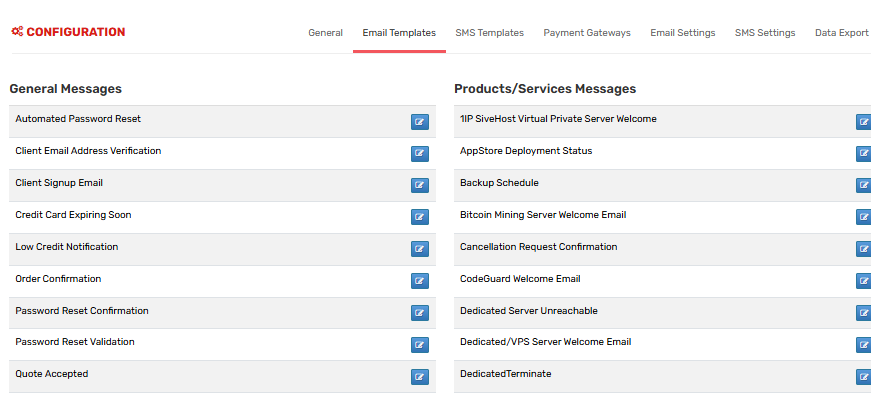
On the left you'll see categories:
- General Messages - System emails like Password Reset
- Products/Services - Welcome Email, Suspension
- Support - Ticket Opened, Ticket Reply
- Domains - Domain Renewal Notice
4. Click "Edit"

Find the template you want and click the pencil/edit icon
5. Edit the content

You can edit:
Subject: E.g. Your invoice #{$invoice_id} from {$company_name}
Message: The body of the email. You can use HTML
Merge Fields: These pull client info automatically. Click "Available Merge Fields"
Помог ли вам данный ответ?
